Reviews & Ratings
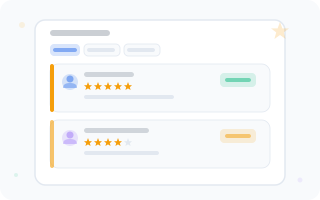
The reviews and ratings system allows you to collect client feedback after their visit and build employee ratings.
How It Works
- After an appointment is completed (status DONE), the client automatically receives an email asking for a review
- The client follows the link in the email and leaves a rating from 1 to 5 stars with a comment
- The review appears in the admin panel with a Pending status
- The administrator publishes or rejects the review, and can add a response
- Published reviews form the employee rating, visible to clients when booking
Review Moderation
The Reviews section is available in the main menu of the admin panel.
Filtering
- By branch — select a branch from the cascading selector
- By status — use the toggle: All / Pending / Published / Rejected
- By employee — optional filter
Review Card
Each review is displayed as a card with information:
- Client name
- Employee name
- Rating (stars)
- Comment text
- Creation date
- Current status
Review Actions
Click on a review card to open detailed information:
- Publish — the review becomes visible to clients when booking
- Reject — the review will be hidden
- Response — add a text response on behalf of the company
Tip
After publishing or rejecting a review, the employee rating is automatically recalculated.
Employee Rating
The rating is calculated as the average of all published reviews. It is displayed:
- In the booking widget — next to the employee name
- On the client booking page — when selecting a specialist
- In the admin panel — on the employee card
Employee Portfolio
%20--%3e%3crect%20x='50'%20y='44'%20width='220'%20height='30'%20rx='8'%20fill='%23f8fafc'%20stroke='%230050e7'%20stroke-width='1'%20stroke-dasharray='4%203'%20opacity='0.6'/%3e%3cg%20transform='translate(144,%2048)'%3e%3c!--%20Cloud%20upload%20icon%20--%3e%3cpath%20d='M16%2018%20L16%2010%20M12%2014%20L16%2010%20L20%2014'%20stroke='%230050e7'%20stroke-width='1.5'%20stroke-linecap='round'%20opacity='0.5'/%3e%3cpath%20d='M8%2016%20Q4%2016%204%2012%20Q4%208%208%207%20Q9%203%2014%203%20Q18%203%2020%205%20Q24%205%2025%208%20Q28%209%2028%2012%20Q28%2016%2024%2016'%20stroke='%230050e7'%20stroke-width='1.2'%20fill='none'%20opacity='0.3'/%3e%3c/g%3e%3c!--%20Portfolio%20grid:%203%20columns%20x%202%20rows%20--%3e%3c!--%20Image%201%20--%3e%3crect%20x='50'%20y='82'%20width='68'%20height='48'%20rx='6'%20fill='%230050e7'%20opacity='0.08'%20stroke='%23e2e8f0'%20stroke-width='0.8'/%3e%3crect%20x='56'%20y='88'%20width='56'%20height='28'%20rx='4'%20fill='%230050e7'%20opacity='0.12'/%3e%3c!--%20Mountain/landscape%20icon%20--%3e%3cpath%20d='M62%20112%20L74%2096%20L82%20104%20L90%2092%20L106%20112%20Z'%20fill='%230050e7'%20opacity='0.2'/%3e%3ccircle%20cx='70'%20cy='96'%20r='4'%20fill='%23f59e0b'%20opacity='0.3'/%3e%3c!--%20Title%20placeholder%20--%3e%3crect%20x='56'%20y='120'%20width='40'%20height='4'%20rx='2'%20fill='%23334155'%20opacity='0.15'/%3e%3c!--%20Image%202%20--%3e%3crect%20x='126'%20y='82'%20width='68'%20height='48'%20rx='6'%20fill='%238b5cf6'%20opacity='0.08'%20stroke='%23e2e8f0'%20stroke-width='0.8'/%3e%3crect%20x='132'%20y='88'%20width='56'%20height='28'%20rx='4'%20fill='%238b5cf6'%20opacity='0.12'/%3e%3cpath%20d='M138%20112%20L150%2098%20L158%20106%20L166%2094%20L182%20112%20Z'%20fill='%238b5cf6'%20opacity='0.2'/%3e%3ccircle%20cx='146'%20cy='96'%20r='4'%20fill='%23f59e0b'%20opacity='0.3'/%3e%3crect%20x='132'%20y='120'%20width='48'%20height='4'%20rx='2'%20fill='%23334155'%20opacity='0.15'/%3e%3c!--%20Image%203%20--%3e%3crect%20x='202'%20y='82'%20width='68'%20height='48'%20rx='6'%20fill='%2310b981'%20opacity='0.08'%20stroke='%23e2e8f0'%20stroke-width='0.8'/%3e%3crect%20x='208'%20y='88'%20width='56'%20height='28'%20rx='4'%20fill='%2310b981'%20opacity='0.12'/%3e%3cpath%20d='M214%20112%20L226%20100%20L234%20106%20L242%2096%20L258%20112%20Z'%20fill='%2310b981'%20opacity='0.2'/%3e%3ccircle%20cx='222'%20cy='96'%20r='4'%20fill='%23f59e0b'%20opacity='0.3'/%3e%3crect%20x='208'%20y='120'%20width='36'%20height='4'%20rx='2'%20fill='%23334155'%20opacity='0.15'/%3e%3c!--%20Image%204%20--%3e%3crect%20x='50'%20y='138'%20width='68'%20height='38'%20rx='6'%20fill='%23f59e0b'%20opacity='0.08'%20stroke='%23e2e8f0'%20stroke-width='0.8'/%3e%3crect%20x='56'%20y='144'%20width='56'%20height='20'%20rx='4'%20fill='%23f59e0b'%20opacity='0.12'/%3e%3cpath%20d='M62%20160%20L74%20148%20L82%20154%20L90%20146%20L106%20160%20Z'%20fill='%23f59e0b'%20opacity='0.2'/%3e%3crect%20x='56'%20y='168'%20width='44'%20height='4'%20rx='2'%20fill='%23334155'%20opacity='0.15'/%3e%3c!--%20Image%205%20--%3e%3crect%20x='126'%20y='138'%20width='68'%20height='38'%20rx='6'%20fill='%230050e7'%20opacity='0.08'%20stroke='%23e2e8f0'%20stroke-width='0.8'/%3e%3crect%20x='132'%20y='144'%20width='56'%20height='20'%20rx='4'%20fill='%230050e7'%20opacity='0.12'/%3e%3cpath%20d='M138%20160%20L150%20150%20L158%20154%20L166%20148%20L182%20160%20Z'%20fill='%230050e7'%20opacity='0.2'/%3e%3crect%20x='132'%20y='168'%20width='38'%20height='4'%20rx='2'%20fill='%23334155'%20opacity='0.15'/%3e%3c!--%20Image%206:%20plus%20card%20(add%20new)%20--%3e%3crect%20x='202'%20y='138'%20width='68'%20height='38'%20rx='6'%20fill='%23f8fafc'%20stroke='%23e2e8f0'%20stroke-width='0.8'%20stroke-dasharray='3%202'/%3e%3cline%20x1='236'%20y1='148'%20x2='236'%20y2='166'%20stroke='%239ca3af'%20stroke-width='1.5'%20stroke-linecap='round'/%3e%3cline%20x1='227'%20y1='157'%20x2='245'%20y2='157'%20stroke='%239ca3af'%20stroke-width='1.5'%20stroke-linecap='round'/%3e%3c!--%20Decorative%20--%3e%3ccircle%20cx='22'%20cy='28'%20r='3'%20fill='%230050e7'%20opacity='0.1'/%3e%3ccircle%20cx='300'%20cy='178'%20r='2.5'%20fill='%238b5cf6'%20opacity='0.1'/%3e%3ccircle%20cx='298'%20cy='25'%20r='2'%20fill='%2310b981'%20opacity='0.12'/%3e%3c/svg%3e)
You can upload a gallery of work examples — a portfolio — for each employee. This helps clients choose a specialist based on examples of their work.
Managing the Portfolio
- Go to Settings → Employees
- Click the image icon button next to the employee
- On the portfolio page:
- Add — upload a photo with a title and description
- Edit — change the title and description
- Delete — remove a photo from the portfolio
Image Formats
JPG and PNG formats are supported. Image size: 256 to 1280 pixels.
Where the Portfolio Is Visible
The employee portfolio is available to clients through the public API and is displayed on the specialist profile page.