Booking Page & QR Code
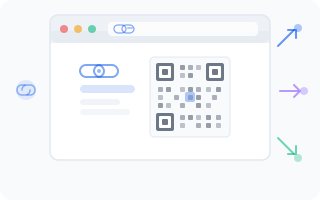
Every company on WantVisit gets a free public booking page — no extra setup required. It's a dedicated page where your clients can view your services, pick a time slot, and book an appointment in just a few clicks. You also get a QR code that links directly to it, perfect for printing and sharing offline.
Selecting a Company
If you manage multiple companies, use the dropdown at the top of the page to choose which one you'd like to configure. The booking link, QR code, and preview will update to reflect the selected company.
Booking Link
Your unique booking page lives at a URL like this:
https://go.wantvisit.com/{your-company-id}The page displays your full booking URL front and center. Two handy buttons sit right next to it:
- Copy — copies the link to your clipboard so you can paste it anywhere
- Go — opens the booking page in a new browser tab, letting you see exactly what your clients will see
QR Code
A QR code is automatically generated for your booking link. There's nothing to configure — it's ready to go the moment your company is created.
Clients can scan the QR code with their phone camera (no special app needed on most modern phones) and they'll be taken straight to your booking page.
Click Download PNG to save the QR code as an image file. From there, you can print it, add it to documents, or include it in marketing materials.
Preview
Below the link and QR code, you'll see a browser mockup that shows what your booking page looks like. This gives you a quick visual check without leaving the admin panel — handy for making sure everything looks right before you start sharing.
How to Use Your Booking Link
Now that you have your link and QR code, here are four practical ways to put them to work:
Add to Your Website
Place the booking link in your website's navigation menu, footer, or as a prominent "Book Now" button. Make it easy to find — don't hide it behind three clicks and a riddle.
Share on Social Media
Add the link to your Instagram bio, Facebook page, or any social media profile. You can also share it in stories and posts whenever you want to remind followers that booking is just a tap away.
Print the QR Code
Download the QR code and print it out. Great spots to display it include:
- Reception desk or front counter
- Entrance door or window
- Business cards
- Flyers, brochures, and posters
Send to Clients
Share the link directly via messenger apps, email, or SMS. When a client asks "How do I book?", you have a one-tap answer ready.
TIP
Pro move: print the QR code on a small table stand and place it at your reception. Clients can scan and book their next visit while they're still happy with the current one.